![]() |
|
|||||||||||||||||||||||||||||
|
Actual Tools / Products / Actual Title Buttons
|
|
Version: 5.3 what's new
Release Date: March 31, 2009 Work on: Windows 2000/XP/2003/Vista/2008/x64 Free Trial: 60 days File Size: 3.69 Mb
|
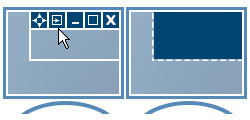
Windows concept is quite usable when it comes to minimizing, maximizing and restoring a window. However, there are still possibilities to unleash. Actual Title Buttons is the unique window management tool which offers extended window manipulation capabilities by adding new buttons to a window caption.
By clicking these buttons as you are used to do with the standard ones, you can take advantage of hidden Windows® features, such as:
These new buttons look native in all standard XP and Vista visual themes and as easy to use as general Minimize/Maximize/Close ones. You can define which buttons should be actually added as to all windows as specify an individual set of buttons for any particular window.
With the help of Actual Title Buttons you can apply the above features to almost any program:
Try Actual Title Buttons - they are surprisingly easy-to-use and very handy!
| "I rigged up my webcam to point at my door, and then use your software to keep that display on top in the bottom right corner of my screen. I love it and I use it every day." |
| "Great software, period. Have been using PCs circa DOS 1.1, Windows 1.04, and most of that era's apps and utilities. Actual Title Buttons is most definitely one of the best add-ins I've seen in that it actually improves the interface. The Stay-on-Top feature is the one I was after since I do a great deal of copying and pasting between apps. Often I use Notepad to strip text formatting from Word or from info copied from Internet Explorer. Pinning allows for much faster pasting by eliminating the need to go back to the taskbar, tiling windows, or using ALT-TAB. Rollup is also very handy. Make Transparent simply shocks people - so I go into my "That's one of those $200 per hour" responses. Keep up the good work." James R. Briggs, Boise, ID. |
| "...this is well deserved and you should be very proud... your product is exceedingly well-written, has a VERY simple appearance yet is highly functional, and is a terrific help to computer user with straightforward needs." Brian Rea |
| "Here at Pepsi Headquarters I work in 7 programs at one time all through the day. The days of minimizing windows to the task bar and flipping from program window to program window are OVER thanks to your wonderful program!!! My day will flow much easier now that I have this." |
| "I put the Minimize-to-Tray, Rollup and Stay-on-Top buttons on practically every window on my system. Minimize-to-Tray is very handy for times I've got so many apps open there's not enough room in the regular Taskbar - which is most of the time." |
| More testimonials... |
![]() |
|