
|
|
How to Uninstall Actual Window Manager
There are two ways to uninstall Actual Window Manager should you wish to do so: via Control Panel or via Start Menu.
Control Panel
Open the Windows Control Panel.
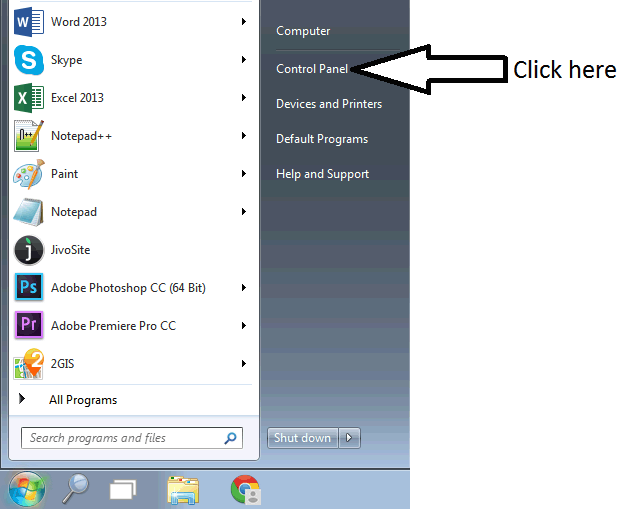
Click Programs and Features.

Double click the Actual Window Manager list box entry.
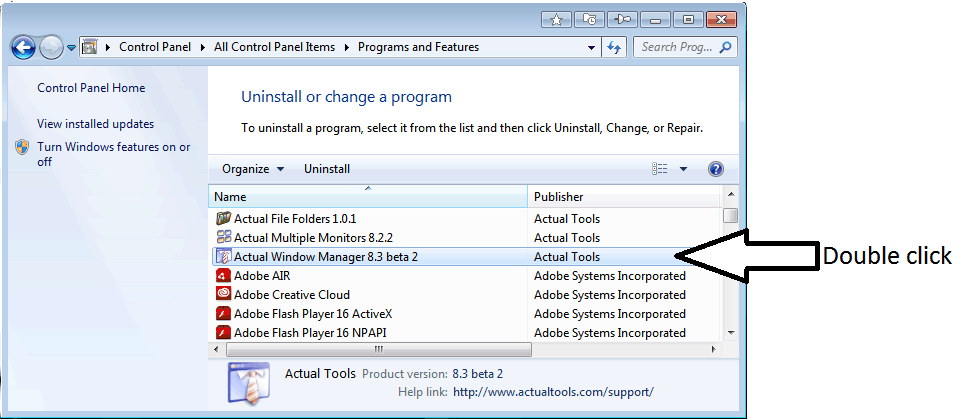
Follow the instructions of the Uninstallation Wizard.
Start Menu
Click the Start button.
Select All Programs.
Select Actual Window Manager.
Click Uninstall Actual Window Manager.
Follow the instructions of the Uninstallation Wizard.

